Permissioned Data Access Models for Multi-Departmental BI
Layer object, row, and column controls to let departments safely explore shared data.
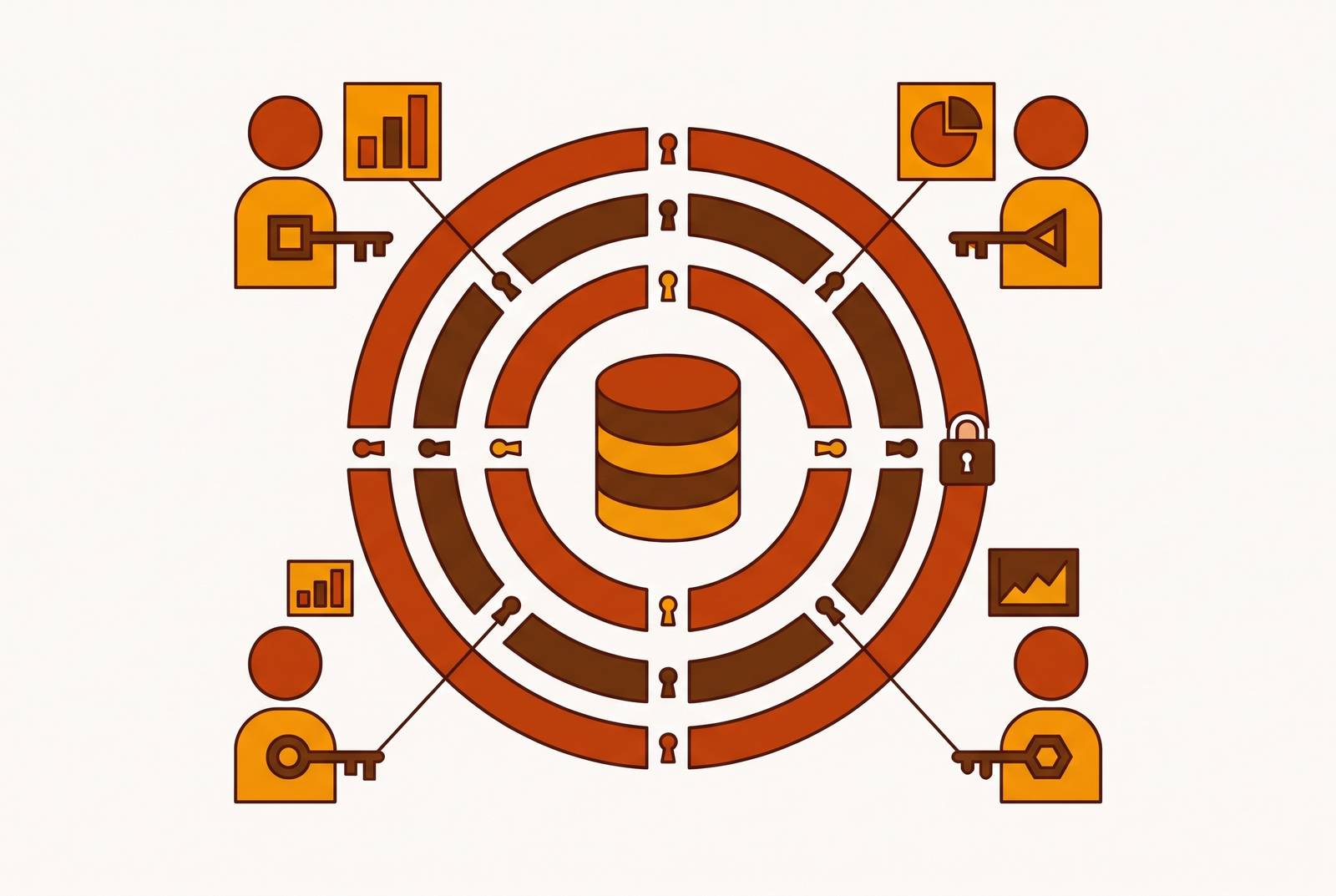
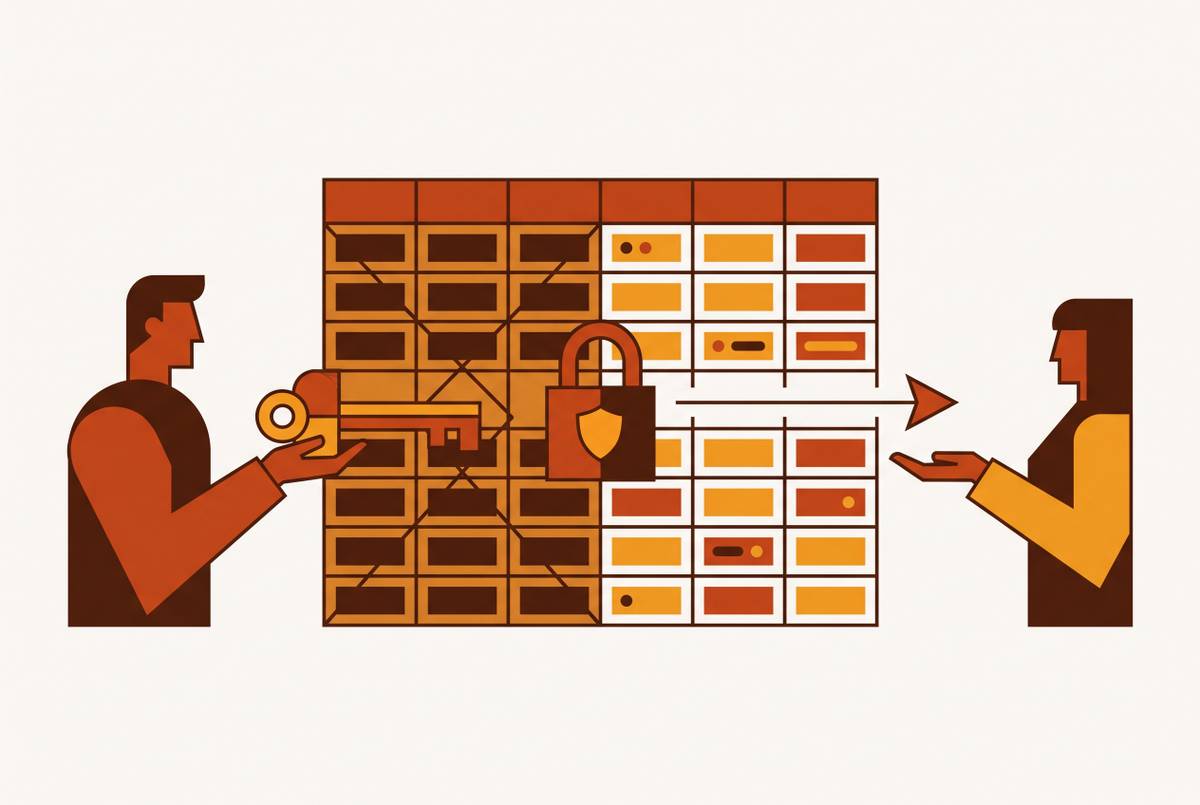
For startup teams whose people cannot write SQL, self-serve BI needs an interface they know how to use and permissions enforced beneath it. Permissioned data access models let departments explore data they share while keeping records or fields they should not see out of reach. The architecture needs role-based access, row-level filters, and field-level protection, with attribute-based rules where a job title cannot say enough about who should see what.
Why self-serve BI and data protection pull in opposite directions
Every department wants direct access to data, but not every department should see everything in it. Separate dashboards seem like a reasonable compromise at first. Then each region, department, and role needs its own version, and maintaining the copies becomes a job in itself. Stale copies and inconsistent metrics turn a sharing workaround into a source of disagreement.
A salary field hidden in one BI tool may still be seen through another tool or a direct query. The same table may also be used for analytics, operations, and AI training, each with different rules for how sensitive the data is and which regulations apply. Copying it for each purpose multiplies the work without establishing one authoritative rule. A shared model with enforced filters addresses the underlying conflict.
What over-permissioning actually looks like in a cross-functional org
Over-permissioning is usually quieter than an access error. An “analyst” role gets created, assigned broadly, and left alone while its permissions accumulate. Nobody needs to make a spectacular mistake. Access simply grows beyond the work it was meant to support, and compromised credentials can then give an attacker room to move through data. The scope of those privileges determines how far the exposure can spread.
In some BI platforms, row-level security does not apply at all to the workspace Admin, Member, and Contributor roles. Reports must instead be shared through restricted viewer access for those filters to apply. Someone added as a Contributor can therefore see every row, despite a carefully configured regional restriction.
The same looseness can fragment the numbers themselves. Without certified datasets and enforced access rules, finance, sales, and operations may each rebuild “revenue” independently. Each version becomes another definition to maintain and another access surface to govern. What looks like dashboard clutter is therefore also a security problem. More copies mean more places where the intended boundary can drift.
The three control types that any permission architecture must layer
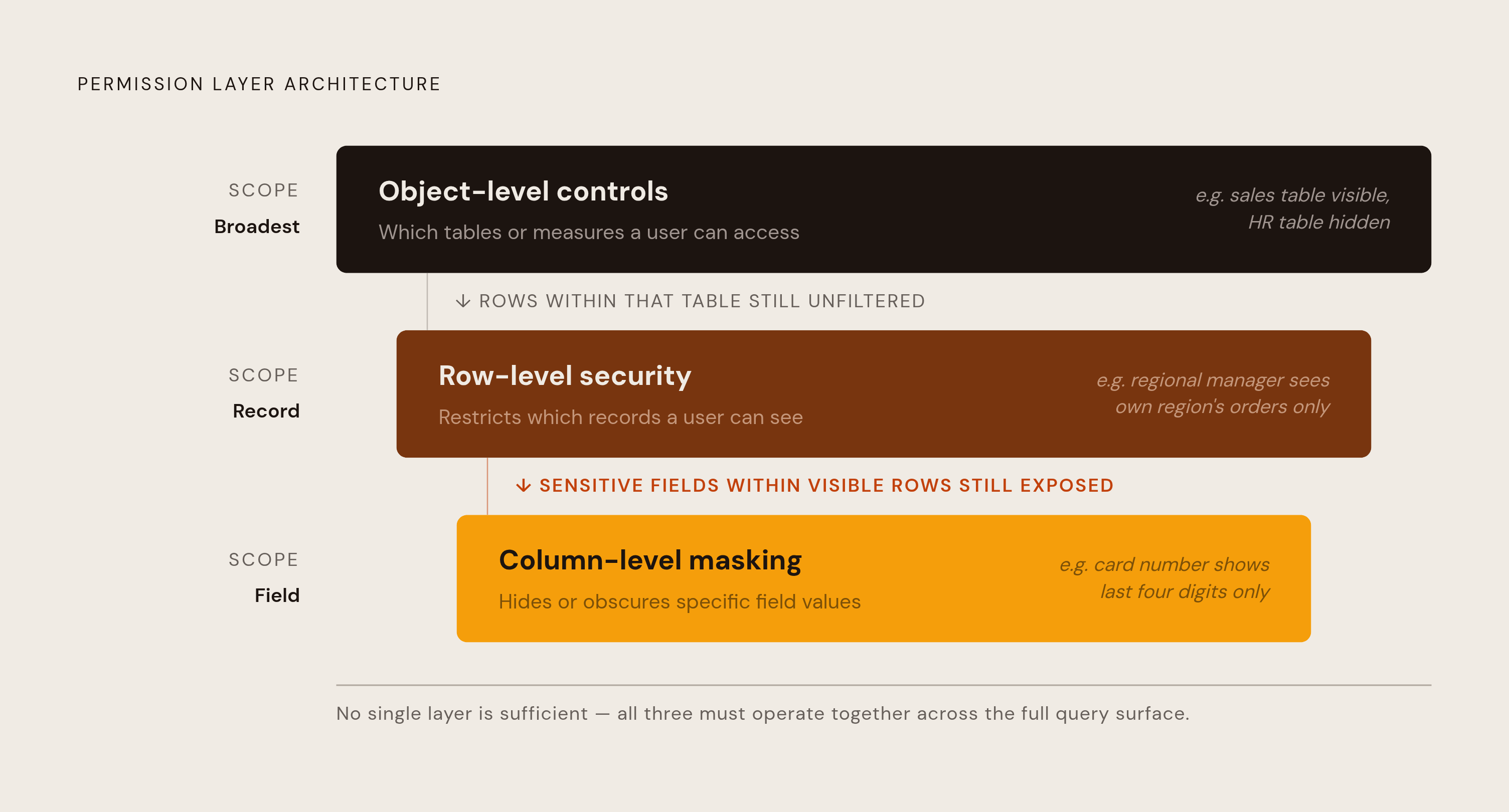
Object-level controls determine which tables or measures a user can access at all. They establish the broad boundary, but cannot distinguish permitted records or sensitive fields inside an accessible table. Row-level security, or RLS, restricts the visible records, so a regional sales manager sees only that region’s orders. Sensitive columns in those orders require controls distinct from row-level security.
Column-level security hides specific fields, while masking obscures their values, perhaps leaving only the last four digits of a card visible. Neither replaces the need to restrict whole objects or rows. A setup used in production therefore needs object grants, row filters, and column restrictions or masking.
Aggregate access also needs an explicit boundary. Blocking individual EU records is not enough if another query path still permits a count over the full, unfiltered table. Row controls must work with the relevant column-level or aggregate restrictions to cover that query path. The governing principle is least privilege across the whole query surface.
How RBAC and ABAC differ and when each is the right tool
Role-Based Access Control, or RBAC, attaches permissions to roles such as “sales analyst” or “finance manager,” which users inherit through membership. It is a useful starting point because it is simple to administer and audit when department or role membership describes the access need. Simplicity helps keep the model maintainable. But a broad “analyst” role can become a permission cupboard into which every department stuffs another exception.
Attribute-Based Access Control, or ABAC, computes permissions at query time using attributes such as role, data sensitivity, jurisdiction, environment, time, or request purpose. Consider a finance analyst in the EU whose role permits payroll analysis but should not permit US payroll records. The jurisdiction attribute supplies the missing boundary. A job title cannot express that distinction alone. ABAC is not a decorative upgrade when the business genuinely needs that rule.
The choice therefore turns on the complexity of the access logic. RBAC provides the baseline, while ABAC extends it where roles are insufficient. That expressiveness has a cost. Attribute policies need to be written, tested, and maintained as the attributes change. Under either model, access should cover only the datasets, rows, and fields needed for a defined task.
Applying permission models across departments with different data needs
Finance needs revenue, cost, and payroll information, but “finance” is not a blanket entitlement to every compensation figure. Payroll figures belong with HR and finance leadership. Column-level security provides that distinction within otherwise useful financial data. The department gets the information its work requires. The individual gets the narrower access that the particular job justifies.
Sales needs pipeline and customer data tied to its own territory or book of business. RLS by region or account owner supplies that scope without requiring a separate copy of the customer dataset. Broader totals need a separate decision. Aggregate pipeline and conversion metrics can usually be shared more widely while keeping the account-level detail hidden.
Marketing needs campaign attribution and customer behavior, but contact records also hold personal information. Masking or excluding email addresses and phone numbers preserves the behavioral metrics while protecting those fields. Support and operations have a different need. Customer contact details may be essential to handling an active case, so removing them would obstruct legitimate work. Their access should instead be scoped to active cases and logged for audit.
Product needs usage and feature-adoption data, generally with less financial sensitivity than payroll or revenue records. Yet individual behavior still needs protection. Separating usage analysis from user-level identifiers addresses that concern without removing the information needed to study adoption. Across all five departments, the same controls produce different boundaries because the work differs. The test is what each department needs to do its job, with wider access requiring explicit justification.
Where the permission rules should live: tool-level, database-level, or semantic layer
A rule is only as consistent as its enforcement point. Configuring permissions inside each dashboard or BI tool means recreating the same boundary everywhere data can be reached. One missed tool becomes an uncontrolled route. This is why moving enforcement upstream is not merely an exercise in architectural neatness. It addresses the access paths that a dashboard setting cannot close.
Database-level grants and row policies provide a more durable foundation. A rule enforced in Postgres or Snowflake applies whether the query comes from BI, direct SQL, or an API using the same credentials. The credentials remain part of the boundary. Central enforcement prevents each interface from having to reinvent the policy independently. Database permissions with synchronized BI configurations can be a viable intermediate approach for teams not ready for another abstraction.
A semantic layer adds a shared place for metric definitions and access rules. When those rules are compiled into the model, dashboards, scheduled reports, APIs, and embedded analytics querying that model operate under the same restrictions. Consistency has a maintenance cost, however. The layer itself needs upkeep, so its value depends on team size, warehouse maturity, and the frequency of metric disputes. It governs only the paths through the model.
Snowflake Horizon Catalog and Databricks Unity Catalog have native governance, so the rules do not depend only on how downstream tools are set up. Snowflake Semantic Views follow the existing warehouse role and grant model, inheriting RBAC and RLS from that layer. Their exported YAML can be manually versioned in Git rather than being natively versioned like standard Snowflake objects. They can be queried through SQL, natural language, or BI connectors.
Unity Catalog metric views are securable objects, and they inherit privileges, lineage, tags, and audit. Querying them also requires corresponding access to the underlying data. Column-level enforcement therefore belongs at the source layer, rather than being an independent masking property of the metric view. That distinction prevents an overly tidy promise. For a shared metric definition to give the same security behavior across uses, the access rules for the data beneath it must be governed too.
Access reviews, audit logs, and the operational work that keeps permissions accurate over time
If credentials are compromised after a user’s access has outgrown their job, stale permissions widen the exposure. A model can be correct at deployment and wrong later. People change roles, permissions accumulate, and access that once had a purpose remains available. Governance needs a maintenance schedule.
Sensitive-data access should be reviewed at least quarterly, rather than only when someone changes roles or leaves. Reviews should be automated where possible, with notifications for role changes or access unused within a defined window. Audit logs need to show who accessed which data, when, and through which path, supporting compliance obligations under GDPR, CCPA, HIPAA, and GLBA. Logging supports both detecting misuse before it escalates and reconstructing it afterward.
Users with Insert or Modify permissions on user-group or permission-set tables can effectively elevate their own access. Read-only audit APIs separate observation from administration and can surface this risk. Auditor accounts should therefore have their own restricted permission set, separate from standard end-user roles.
With this discipline in place, the data or engineering team’s job changes. Instead of fulfilling every request, it maintains the governed platform, reviews permissions, and provides training. Maintaining a reusable boundary enables non-technical teams to answer questions without asking engineering to stand at the door for every query. That is how self-service avoids becoming a larger support queue.
What a working permission architecture makes possible for non-technical teams
For a non-technical founder or department lead, a useful interface offers meaningful exploration within enforced access boundaries. Both parts are necessary. A database GUI or BI platform connected to production data, with row-level permissions configured per role and the other required controls, can support that combination without a custom internal tool or a separate BI stack for each department.
The alternatives each surrender something important. Raw database credentials offer no protection, routing every question through engineering offers no self-service, and separate exports or dashboards sacrifice a single source of truth. Users can ask questions in familiar interfaces and receive answers without knowing SQL or filing a ticket. The permission machinery should stay out of their way.
Its effect on the answer, however, must remain visible. A user who takes one region’s data for the whole business can reach the wrong conclusion without seeing a single record they should not see. Clear filter labels, training on what the data represents, and certified dataset designations address that remaining risk. Invisible enforcement should not mean invisible context.