Mapping Sensitive Columns to Team Roles Before Your First Non-Engineering Query Runs
Restrict access to sensitive data before your first query runs, not after.
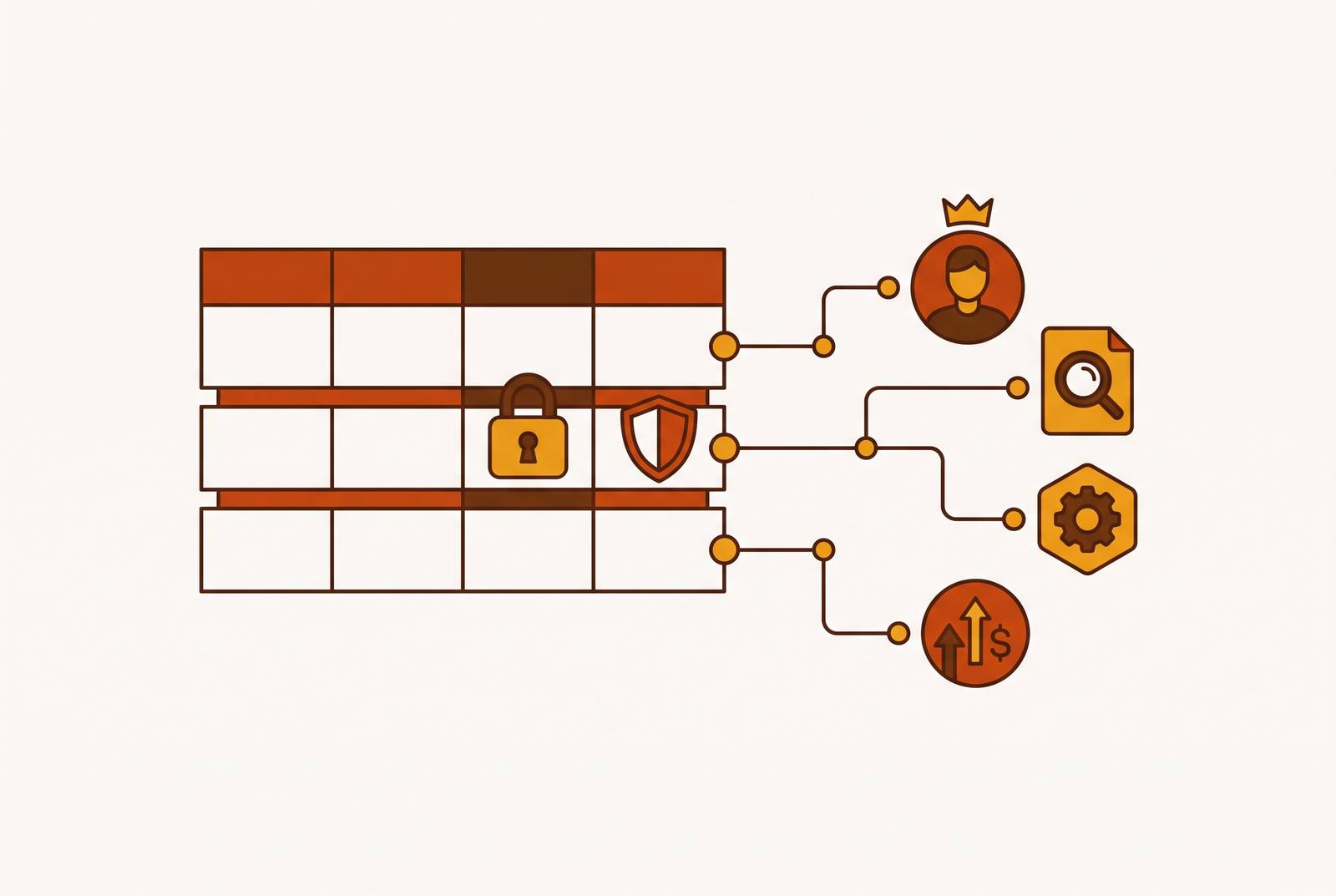
Safe self-serve analytics starts with mapping sensitive columns to team roles before the first non-engineering query runs. That order matters more than the permissions screen because controls put in place later cannot pull data back from saved reports and exports. For teams opening natural-language access to their data, that mapping is the boundary between making answers easy to get and making restricted data easy to reach.
Why the sequencing question matters more than the configuration question
The decision point arrives when a data or engineering team gets the green light to “open up analytics to the whole company”. It sounds like a configuration task, with connections to make and users to invite. In fact, it creates a choice between defining access before use and reconstructing exposure afterward.
Once users have queried sensitive columns, those columns can appear in saved queries, exported reports, and shared dashboards. Copies can stay within reach even after the team closes the original permission gap. Separate views or duplicate datasets for each team may look like a shortcut, but teams then have to keep filters in line as those copies change. The gate is easier to secure before everyone has walked through it carrying a photocopier.
What makes a column sensitive, and why teams disagree about it
To define that boundary, teams first need agreement on what “sensitive” means. Sensitivity is relational: a column may be needed for one role’s work and inappropriate for another’s. The disagreement is therefore often about legitimate use. That is a choice for the business wearing a database-shaped hat.
Three distinctions make the decision clearer without turning it into an endless taxonomy. PII and regulated data carry legal exposure, as with tax identifiers. Competitively sensitive data could harm the business if the wrong internal audience saw it, as with margin. Contextually sensitive data may be safe in aggregate but inappropriate at the record level, as when a regional manager can see another region’s sales records.
The “Salary” column makes the role relationship concrete. A compensation specialist may legitimately see it, while a general manager may not. Teams using Basedash or another self-serve interface must write down that distinction before they turn it into a permission setting. The platform can enforce a decision, but it cannot settle which audience should be trusted with which meaning.
The three-layer control model teams must have in place before the first non-engineering query
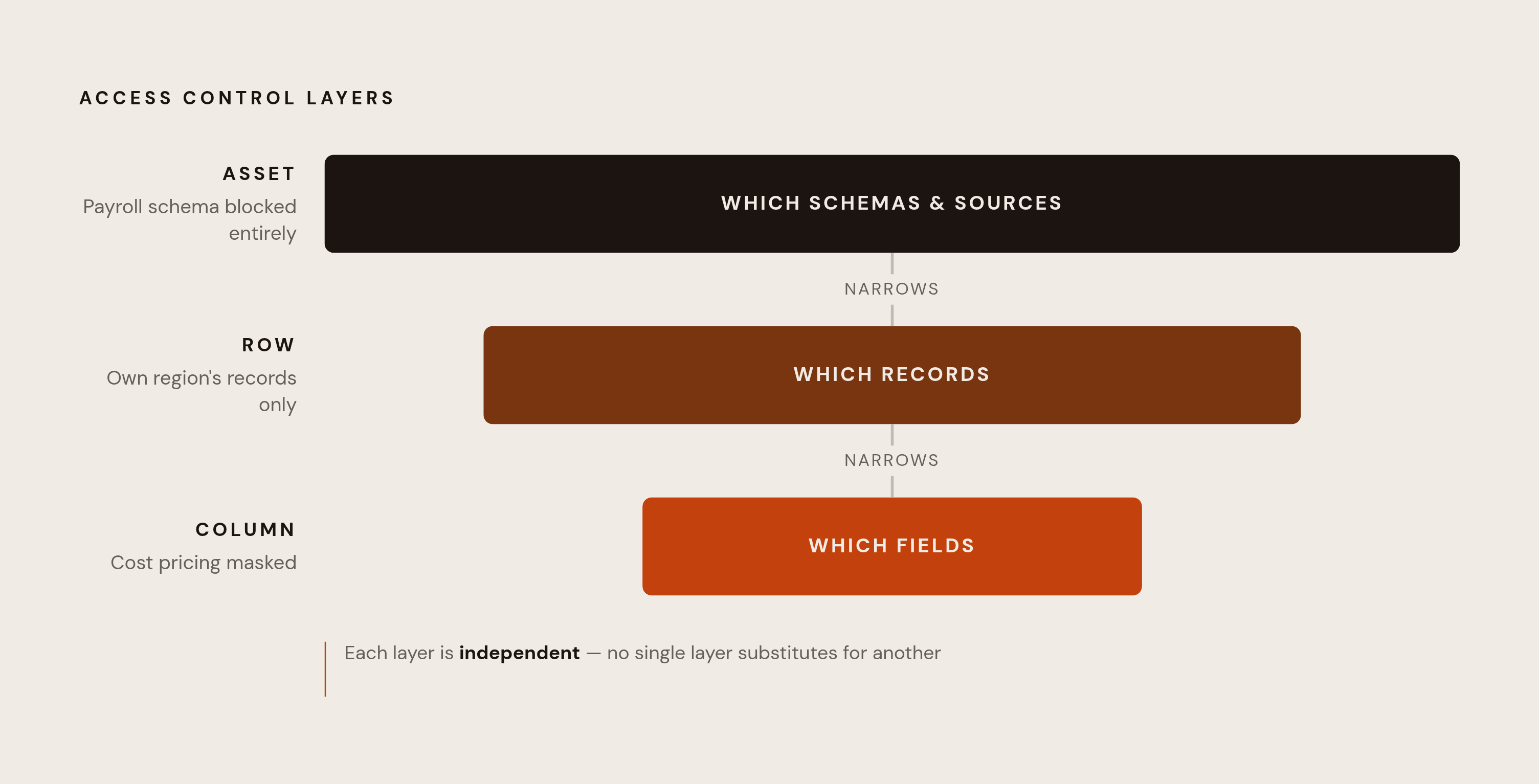
Those decisions need to be enforced at three layers, with asset-level, row-level, and column-level access. Asset-level access decides which data sources, schemas, and assets a role may query at all. If a marketing analyst cannot query the payroll schema, that role already cannot reach the compensation fields in it. This first gate keeps the scope of finer controls small. There is no reason to mask every room in a building someone cannot enter.
Row-level access then decides which records a role may see inside an accessible dataset. Its predicate applies before execution. BigQuery rewrites queries under the hood so that a plain SELECT * can run with the appropriate filters. An important setup trap is that a user not covered by a row access policy can receive zero rows without an error. An empty answer is not automatically proof of an empty table.
Column-level access controls sensitive attributes inside otherwise permitted records. A role might see only its region’s rows and still be blocked from seeing cost pricing within them. Neither restriction substitutes for the other, so all three layers must work independently and together before access opens. Their location matters too, because a restriction applied only in a BI interface is not a reliable boundary for other clients. The rules need to be enforced at the query or warehouse layer, where those clients cannot get around them.
Why text-to-SQL and natural-language query tools make pre-deployment mapping non-optional
Natural-language access makes that boundary more urgent because users no longer need to know which columns their questions touch. A text-to-SQL system can generate a syntactically valid query that matches the question but violates the requesting role’s permissions. SQL correctness and authorization are different tests. For AI-native tools, including Basedash, controls must be in place before deployment because a tool that can write a query still needs permission to retrieve the answer.
A study of text-to-SQL under role-based access control shows how systems that do well with unrestricted access fare differently when role-based restrictions are in place. Systems can produce unauthorized queries, or reject questions that permitted data could answer. In the study’s example, a “Sales Analyst” asks about departmental revenue, and the generated query joins the sales and employees tables. The role may access sales data but not sensitive employee identifiers, so the DBMS rejects the query at execution. The workflow reaches the guardrail without a usable fallback.
That rejection is safer than exposure, but it still fails the user. Silent filtering creates a subtler problem, because results may look complete even when unauthorized rows have been removed. The user cannot reliably distinguish a valid empty result from an access mismatch by looking at the answer. Natural language removes the need to understand SQL while leaving authorization necessary. The burden moves to the control layer before the first prompt arrives.
How to discover which columns actually need mapping before you open access
Before a team can assign permissions, it must locate the fields that need them. Large schemas make this genuinely difficult, and uncertainty often postpones the work until someone has time to audit. Automated discovery gives the team a more concrete starting point. It finds columns that may be sensitive so the team can review them without having to rely on memory.
Google Cloud’s Sensitive Data Protection produces column data profiles with sensitivity and data risk levels that inform access decisions. Databricks Data Classification uses agentic AI to identify and tag PII, with continuing discovery as tables and columns change. Microsoft Presidio combines named entity recognition with regex and rule-based recognizers for PII detection. OpenMetadata’s auto-classification workflow identifies PII and either applies tags automatically or queues them for review, separately from metadata ingestion.
These tools find candidates. A human who understands the data must still confirm the classification and decide which roles may see each field. In Google Cloud, for example, discovery can locate high-risk columns before the team attaches policy tags to carry the classification into access control. The handoff matters as much as the scan. Discovery is complete for launch only when its output has been reviewed.
A practical framework for completing the column-to-role mapping before deployment
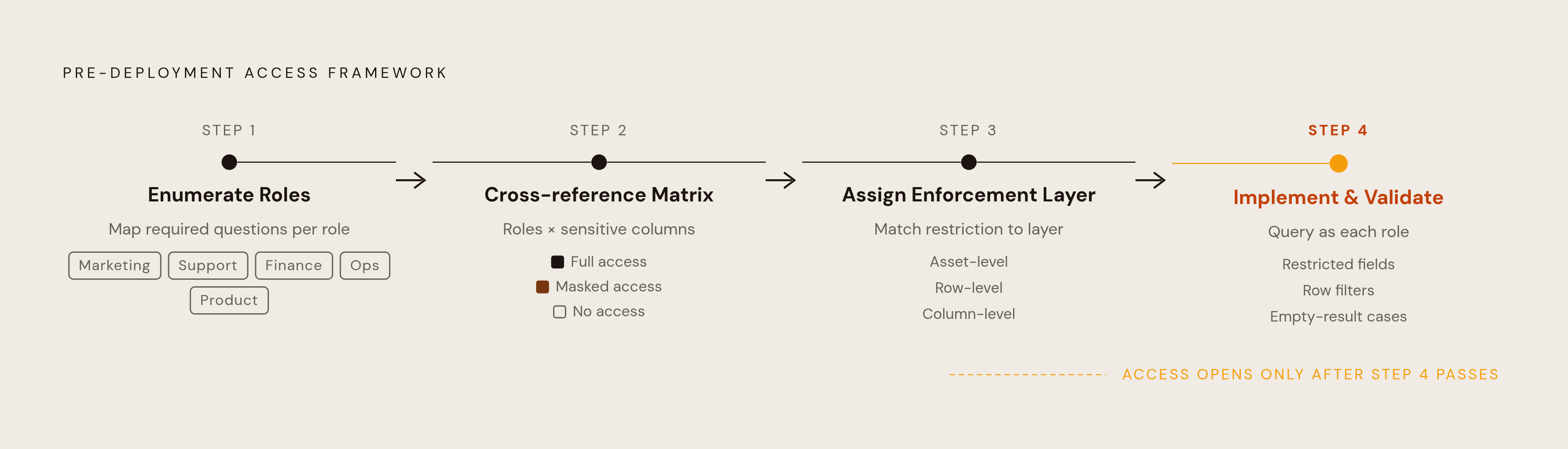
Step 1 is to enumerate roles before working through the discovered columns. Start with the non-engineering groups that will get access, including marketing, support, finance, ops, and product. For each role, write down the questions its work requires it to answer. A role that cannot be described through its required questions is still a placeholder.
The study uses role synthesis to infer application context from a schema and derive plausible responsibilities and access scopes. That is a useful way to reason about the data, though it does not replace agreement about actual responsibilities. The output of this step is a role list whose boundaries can guide consistent decisions.
Step 2 is to cross that role list against the reviewed discovery output. Build a matrix with sensitive columns on one axis and roles on the other. Every cell gets one of three values, which are full access, masked access, or no access. For “Salary”, the compensation specialist’s cell can specify full access while the general manager’s cell records the restriction. This makes disagreement visible in an artifact the engineering team can implement.
An unresolved cell means the team has not yet settled the field’s classification or the role’s legitimate need. Resolve that question before opening access.
Step 3 is to assign each restriction to the right enforcement layer. Use asset-level exclusion where a role has no reason to touch an entire schema or dataset. Use row-level filtering where it needs some records but not others, such as records within its region. Use column-level masking for sensitive attributes in records the role is otherwise allowed to see. Choosing the coarsest appropriate control keeps the policy surface small without pretending one layer solves every case.
Step 4 is to implement the matrix and validate it by running queries as each role. Check that restricted fields are absent or masked. Check that row filters match the intended scope. Basedash connects directly to a database and supports database-level row permissions, currently for Postgres only, so a separate data team does not have to build a custom admin panel.
Where a row policy should return zero rows, test for that empty result and distinguish it from an error. Also test that roles expected to see permitted records actually receive them. This catches the silent-failure case in which a locked-down role looks secure but cannot do its work. Access opens after those checks.
Where teams commonly get the mapping wrong even when they try to do it in advance
One familiar mistake starts with a role called “analyst”. Finance and marketing users share it, even though they need to answer different questions for their work. The mapping then stretches to meet the most permissive member’s needs and grants that scope to everyone else. The fix is to divide responsibilities by required questions.
A developer renames customer_ssn to customer_tax_identifier, but a static masking rule still matches the old name. Policies tied to the semantic concept of a tax identifier are better suited to that change than pure name matching. Incremental discovery also helps catch new and renamed fields before they sit outside the mapping.
A user gets edit access to a semantic model so they can do more with reports, but those rights may also let them see data restricted for viewers. Power BI uses row-level security for Viewers, while Workspace Admins, Members and Contributors have the rights to edit the model and see all data. A “power user” therefore deserves as much access scrutiny as a new non-technical user. Convenience permissions can be data permissions in disguise.
Finally, a team may validate every dashboard while leaving another client path untested. A user who connects through a notebook can bypass a rule that exists only in the BI tool. Likewise, a restriction on the original interface does not govern a file already exported from it. The practical correction is to put enforcement at or below the query layer rather than trusting dashboard behavior as proof of database protection. These are solvable gaps, but each needs a test aimed at its actual mechanism.
Keeping the mapping current after the gates open: review cycles and drift prevention
After launch, the matrix needs to change with the schema and the organization. Keep it version-controlled with the schema rather than leaving it in a shared document to age quietly. Incremental discovery can surface sensitive fields in new or changed tables without repeating a full scan. Databricks Data Classification keeps discovering fields this way after it is first set up. The review then concerns what changed.
Roles need their own review because people move even when columns do not. A quarterly check of user-to-role assignments against the current organization can catch access retained after a team change. Audit logging at the control layer should record what was retrieved, which policy allowed it, and for whom. Those decision traces help expose access that is permitted on paper but unusual in practice, and provide evidence if a regulatory question arises.